

Buying an effects pedal usually involves listening to demos recorded with somebody else’s guitar, amplifier, playing style and settings. Useful? Absolutely. The same as testing the pedal yourself? Not quite.
Stompenberg FX takes a very different approach. It lets you control and hear real, physical guitar and bass pedals through your browser. You can use the supplied riffs, upload your own recording or connect an instrument through an audio interface and try the pedal with your own playing.
With more than 200 pedals available to explore, it is one of the closest things to visiting a gigantic pedal showroom without leaving your home.
What is Stompenberg FX?
The name Stompenberg combines “stompbox” with “Heisenberg”. It sounds slightly like a Bond villain, but it is actually an online system developed by Thomann together with specialist engineering partner Feinarbyte.
Unlike a software model or digital emulation, Stompenberg FX processes your audio through the circuitry of an actual pedal housed in Thomann’s technical setup. When you rotate a knob in the browser, the corresponding parameter on the physical pedal is adjusted remotely.
Your signal travels to the pedal, passes through its analogue or digital circuitry and is streamed back to your computer. The result gives you a much more personal point of reference than a conventional product demonstration.
How does it control a real pedal remotely?
Making a physical stompbox controllable over the internet requires rather more than an unusually long guitar cable.
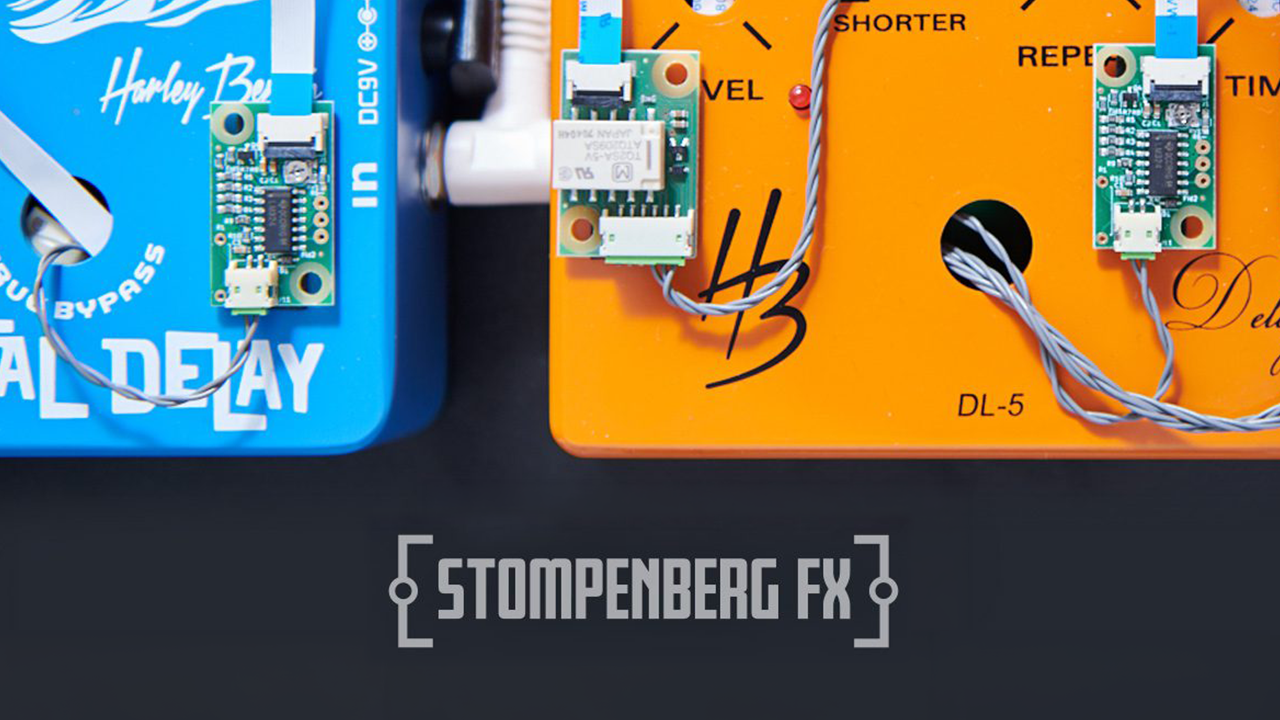
Each selected pedal is carefully examined and modified. Its potentiometers and switches are measured before being connected to digitally controllable components. The pedal’s original circuitry remains responsible for processing the sound, while a purpose-built control system allows its parameters to respond to commands from the Stompenberg interface.
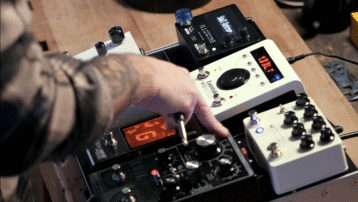
The modified pedals are installed in racks alongside their power supplies, audio connections and dedicated control hardware. The result looks a little like a pedalboard designed by a particularly enthusiastic robot.


How can you test Stompenberg FX?
Open Stompenberg FX, choose an available pedal and explore it in three different ways:
1. Play mode
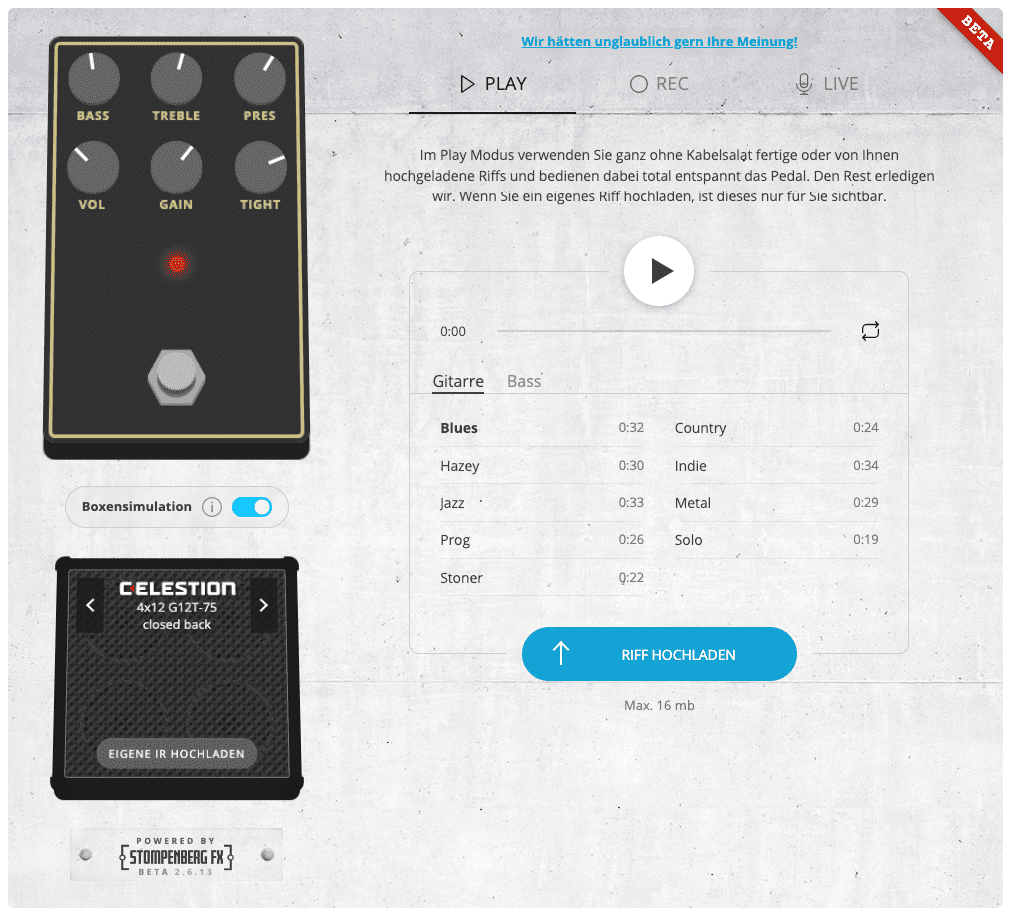
Play mode is the quickest way to get started. Select one of the supplied guitar or bass riffs and send it repeatedly through the pedal while adjusting its controls.
Because the performance remains the same each time, it is easier to hear exactly what each knob, switch or mode is doing. You can also upload your own audio file and use a riff recorded with your instrument and playing style.
2. Record mode
Record mode lets you capture a short performance and loop it through the selected pedal. You can then concentrate on tweaking the controls without having to play and turn virtual knobs at the same time.
3. Live mode
Connect your guitar, bass or another instrument to an audio interface and Live mode sends your performance through the real pedal. The processed signal is then returned to your computer.
A little bit of latency is to be expected as the audio is making a round trip over the internet. Live mode is useful for evaluating tones and settings rather than performing or recording a perfectly timed final take.
Is Stompenberg FX only for guitars?
Although Stompenberg FX was created primarily for guitar and bass players, any suitable recorded signal can become test material. Synthesizers, drum machines, vocals and field recordings can produce completely different results from the riffs normally used in pedal demonstrations.
This is particularly useful when exploring delays, reverbs, modulation effects, filters, bit crushers and more experimental pedals. A stompbox that sounds fairly conventional on guitar may become something entirely different when fed a synthesizer sequence.
Built-in speaker simulation with Celestion IRs
Distortion, overdrive, fuzz and preamp pedals can sound harsh when heard without the filtering and frequency response of a guitar speaker. That is why Stompenberg FX includes an integrated speaker simulator.
The simulator uses impulse responses, usually shortened to IRs, to recreate the tonal characteristics of a miked guitar or bass cabinet. You can select from integrated IRs created with loudspeaker specialist Celestion and hear the pedal through a more realistic cabinet-style signal chain.
Can I upload my own cabinet IR in Stompenberg FX?
Yes. You can load a compatible custom IR directly into your browser and compare the pedal using a cabinet response you already know.
Your personal IR is not added to the public Stompenberg library. It remains within the browser session and disappears when the application is closed or restarted, meaning it cannot be accessed by other users.
This makes testing drive pedals online considerably more useful: instead of judging every pedal through one unfamiliar cabinet, you can hear it through an IR that resembles your normal recording setup.
How to get more useful results
- Begin with a supplied riff. This confirms that the pedal and browser audio are working before you introduce additional equipment.
- Match output levels. Louder sounds can appear more impressive, so compare pedals at similar perceived volumes whenever possible.
- Use your own recording. A familiar guitar, tuning and playing style will tell you more than a generic demonstration riff.
- Try several settings. Do not judge a pedal from its controls at noon. Some circuits change character dramatically across their ranges.
- Use speaker simulation for drive pedals. Overdrive, distortion and fuzz generally make more sense when heard through a suitable cabinet IR.
- Treat Live mode as an auditioning tool. Internet latency may affect your timing, but it does not prevent you from evaluating the pedal’s gain structure, EQ and overall character.
- Compare more than one pedal. The real strength of Stompenberg FX is the ability to repeat the same test across different models.
What happens if multiple users want the same pedal?
These are real pedals rather than infinitely duplicated plug-ins. A physical unit can therefore only be controlled by one active session at a time.
If somebody else is already using your chosen model, Stompenberg FX may place you in a queue or give the current session a limited amount of time before control passes to the next user. You can wait or explore another available pedal in the meantime.
More Stompenberg FX demonstrations
The videos below offer two more practical perspectives: testing familiar Red Hot Chili Peppers riffs and exploring the system in real time.
Is Stompenberg FX the same as trying a pedal in person?
Not entirely. Your amplifier, cabinet, room and physical interaction with a pedal are still important parts of the experience. Live internet audio also introduces latency and compression that would not be present with a pedal connected directly to your rig.
However, Stompenberg FX solves several problems that ordinary demonstrations cannot. It lets you use your own musical material, change the controls yourself, compare multiple pedals under similar conditions and hear the signal passing through the real device rather than an algorithmic recreation of it.
It should not necessarily be the only step in your decision, but it can make your shortlist much more informed.
Ready to start stomping?
Choose a pedal, load a riff and start turning some virtual knobs. Your sound will travel through a real effects unit in the Thomann setup before returning to your browser—which remains a slightly ridiculous sentence, even after all these years.
Explore all pedals currently available on Stompenberg FX
“`






Comments 5