

With our cookies we would like to offer you the best shopping experience possible with everything that goes with it. This includes, for example, suitable offers, personalized ads and remembering preferences. If this is okay with you, simply agree to the use of cookies for preferences, statistics and marketing by clicking on "Alright!" (show all). You can withdraw your consent at anytime via the cookie settings (here)
Note: To prevent ratings from being based on hearsay, smattering or surreptitious advertising we only allow ratings from real users on our website, who have bought the equipment from us.
After logging in you will also find all items you can rate under rate products in the customer centre.
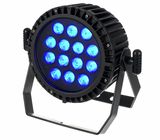
Good product, but the user manual is incomplete. If a dot is blinking in the bottom right corner of the display, it means that a pairing has already taken place (probably at the factory) and that the device is waiting for its already assigned transmitter. To establish a link with a new WDMX transmitter, this pairing must first be erased. To do this, go to the “Ulrl” menu and hold down the “enter” button for 5 seconds. Only then will the Varytec accept a new pairing (by simply pressing the function button on the G5).