To the page content

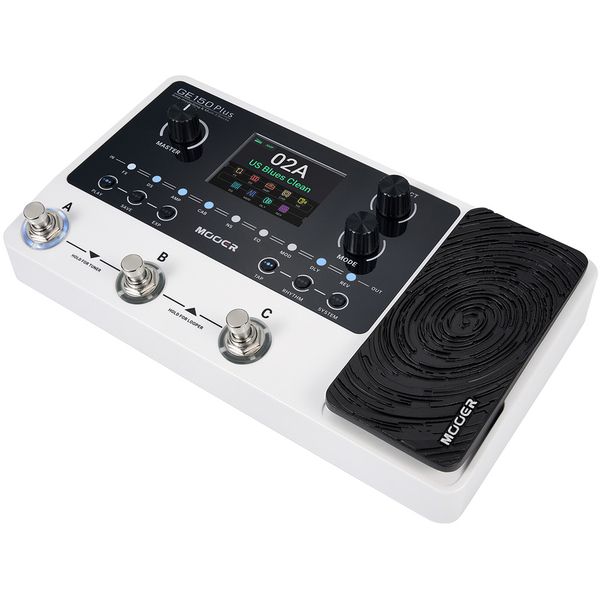
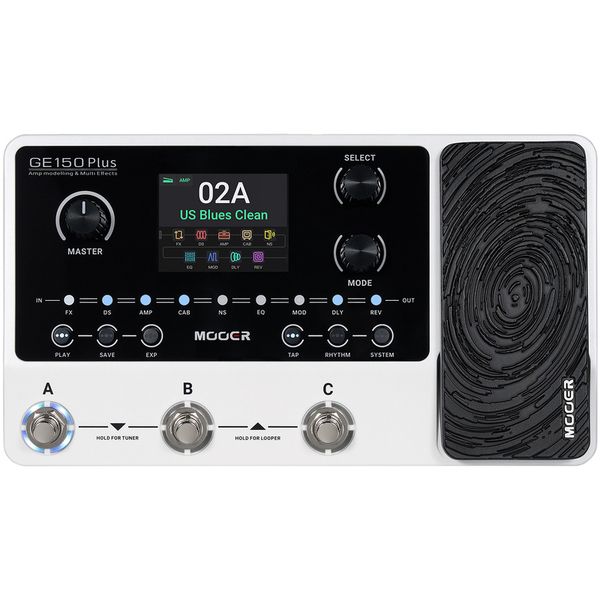
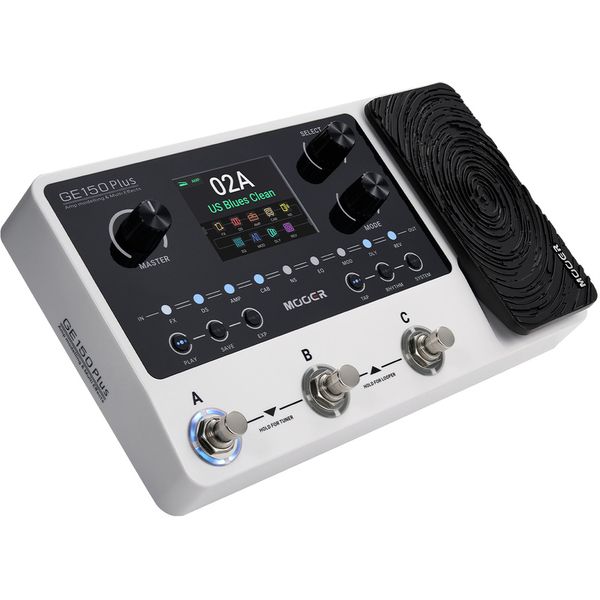
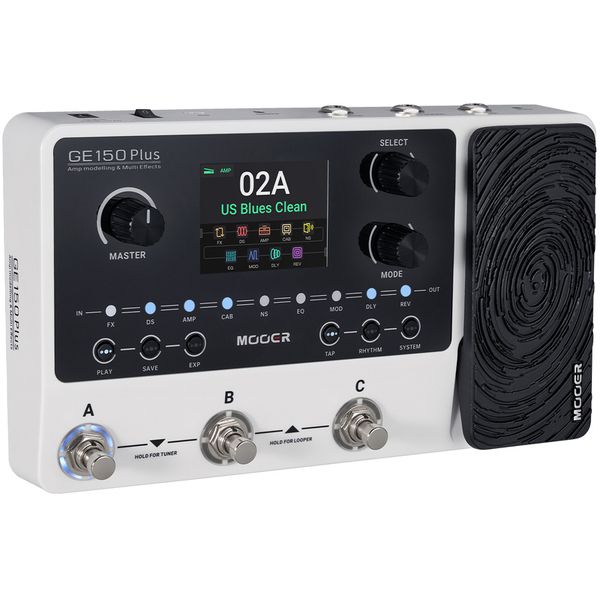
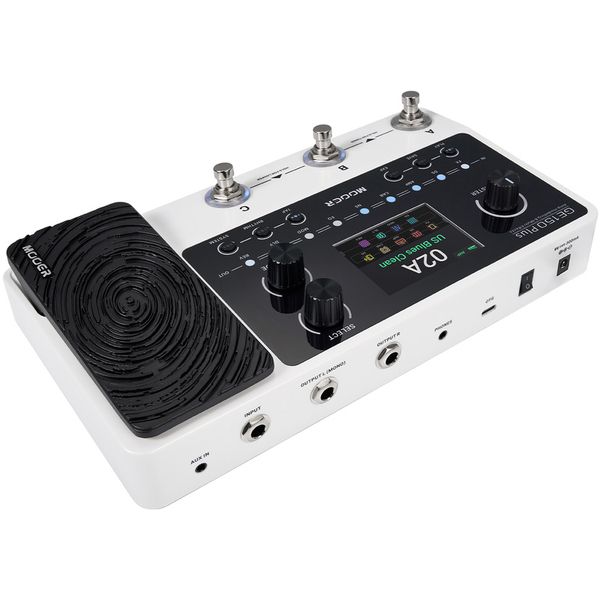
Multi-Effect Pedal for Electric Guitar

  • 55 amp models
  • 170 effect models
  • Drum machine with 40 drum rhythms and ten metronome types
  • Phrase looper with 80 seconds recording time
  • Overdubbing function and independent volume control
  • Up to 198 storable presets
  • Presets can be exchanged with all GE150 variants
  • USB-C port for recording and playing audio material via OTG and connection to management software
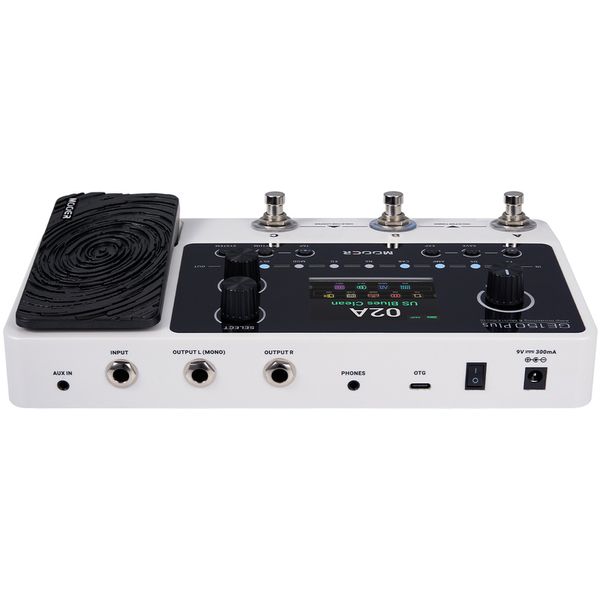
  • Multifunctional A, B, C footswitches
  • Built-in volume / expression pedal
  • Buttons for Tap, Rhythm, System, Play, Save, EXP
  • Effect block LED
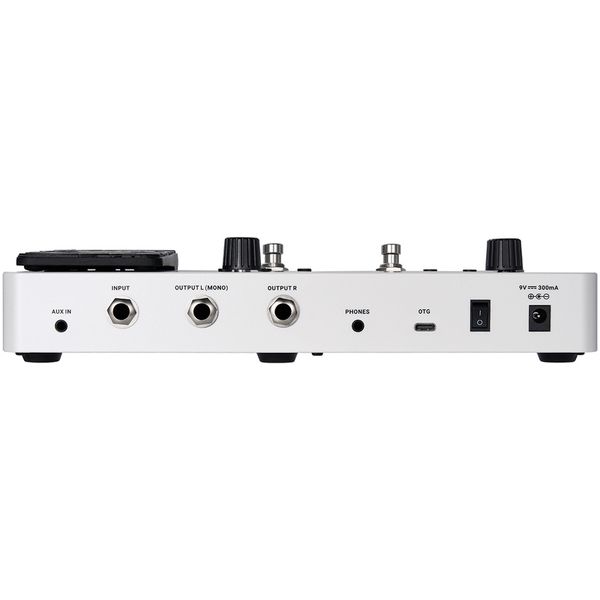
  • 6.3 mm mono jack input
  • 2 x 6.3 mm mono jack outputs (L / R)
  • 3.5 mm stereo jack AUX IN
  • 3.5 mm stereo headophone output
  • USB-C connection
  • Power supply with enclosed 9 VDC power supply unit 2.1 mm x 5.5 mm barrel connector, polarity (-) inside
  • Power consumption: 300 mA
  • Dimensions (L x W x H): 256 x 145 x 54 mm
  • Weight: 0.86 kg
  • Includes USB cable and power supply
  • Supports downloading MNRS data and amplifier/speaker simulation files from third-party providers
  • Special computer editor software and mobile app for preset management and sample file downloads

Note: battery operation is not supported.

Note Register your purchase at shop.warwick.de/en/warranty-registration for an extended warranty of 4 years.
  • Available since October 2025
  • Item number 625552
  • Sales Unit 1 piece(s)
  • Design Floorboard
  • Amp Modeling Yes
  • Drumcomputer Yes
  • Incl. Tuner Yes
  • Expression Pedal Yes
  • USB-Port Yes
  • Headphone Output Yes
  • MIDI Interface No
  • Line Out Yes
  • Battery Operation No
  • PSU included Yes
$136
The shipping costs are calculated on the checkout page.
In stock
1

6 Customer ratings

4.5 / 5

handling

features

sound

quality

5 Reviews

M
Great and cheap for production with most instruments
Multi-instrumentalist 17.04.2026
Nice and cheap multi-effects unit and amp simulation. I tested this with an electric guitar, semiacoustic guitar, electric piano and electric violin, and it worked with all of them.

Some of the amp simulations are limited or of average quality, but you can upload your own IRs if the quality isn't enough for your own needs, so this is not an issue.

The device doesn't come with up to date firmware, so you need to update it for the best experience.

The effects are of decent quality and mix well, and got plenty of parameters to dial a specific sound. The only complaint I have on this department is that the effects chain is preset and cannot be changed. Although the pedal mixes well with normal effects gear so you can change that if you wish.

The unit also has some extra features such as a tuner, drum tracks and a metronome.

All around, this is a decent cheap alternative to other similar units.
handling
features
sound
quality
0
0
Report

Report

AJ
Looper goes out of sync with drums, and the rhythm mode is hard to use
August J. S. 18.04.2026
The build and sound quality are both quite good for the price, I have no real issues there.

However, I have some major issues with the looper and rhythm mode.
First of all, when using a drum beat while in the looper, it is nearly impossible to time the loop so that it stays in sync with the drums. You have to be extremely precise when stopping recording, even then I can hear it slowly drift out of sync. I just wish there was some quantization for when you stop recording a loop while there is a drum beat playing.
The display also has a progress bar that is supposed to show when it loops, but even that seems completely untethered to the actual loop.
Secondly, when switching between beats in the rhythm mode, the BPM always defaults back to 120 BPM, or sometimes a slower or faster BPM depending on the beat. So if I'm playing at 80 BPM and want to switch to a different beat, it goes right back to 120.
Third, There seem to be two different BPMs, one when you're in play mode (so when changing effects) and one when you're in rhythm mode. This means if I want to turn off the drum beat for a second to concentrate on tapping in my desired BPM, it goes back to the play mode BPM, so I'm not actually changing the drum's BPM. You can only tap in the drum BPM while it's playing (even if you are still in the rhythm mode menu), which, at least for me, is quite difficult. The only solution seems to be to turn the drum volume down. There really should just be a universal BPM that you can change with the tap button. I understand delay effects can be tempo synced, but there doesn't need to be a separate BPM just for that. Just turn off the drums if you don't want them, or change the delay time in milliseconds if you want an unsynced delay while there's a beat playing.

Now, I will say, these really are software issues, so they are technically fixable, and I have contacted the customer support and told them about most of these issues I have. This is just a warning to possible buyers. If they fix these issues, I will edit this review accordingly.
handling
features
sound
quality
0
0
Report

Report

A
Budget Friendly
Angi91 25.01.2026
Suprised by the sound and its features. Handling could be more a little bit easier, but for it budget it's very duable and nice to have.
handling
features
sound
quality
0
0
Report

Report

google translate de
Unfortunately there was an error. Please try again later.
C
Tolles Teil
Chris&Leo 05.01.2026
Habe das Gerät für meinen Sohn zu Weihnachten gekauft, die Freude war groß!
handling
features
sound
quality
0
0
Report

Report